
Finding the right balance between portability and performance has always been the eternal struggle for laptop buyers. The Machenike L17 Star 2K XL enters this conversation as a serious contender for those who prioritize screen size and gaming capability over ultraportable dimensions. With its 17.3-inch QHD display running at 165Hz, paired with Intel’s Core i7-12650H and NVIDIA’s RTX 4060 graphics, this machine aims to deliver desktop-level gaming experiences in a laptop form factor.
Whether you’re a competitive gamer who demands high refresh rates, a content creator who needs color accuracy and multitasking power, or simply someone tired of squinting at smaller displays, understanding what the L17 Star 2K XL offers will help you make an informed decision about your next computing investment.
Table of Contents
- What it is and who it’s for
- Display deep-dive: QHD clarity plus refresh
- Form factor and purpose
- GPU angle: gaming and creator workloads
- CPU plus platform basics
- Memory and storage: multitasking plus loads
- Ports, connectivity, daily usability
- Thermals and noise expectations
- Pricing and positioning vs rivals
- Verdict: who should consider it in 2026
1. What it is and who it’s for
The Machenike L17 Star 2K XL represents a specific philosophy in laptop design: maximum performance and screen real estate with acceptable portability tradeoffs. This isn’t a machine you’ll slide into a slim briefcase for daily commuting, but it’s absolutely viable for moving between home, office, and occasional travel when you need your full computing environment with you.
At its core, the Machenike L17 Star 2K XL combines several key components that define its capabilities. The 17.3-inch display offers 2560×1440 resolution at 165Hz refresh rate, providing sharp visuals with smooth motion. Under the hood, Intel’s 12th-generation Core i7-12650H processor brings hybrid architecture to the table with 10 cores split between performance and efficiency designs. Graphics duties fall to NVIDIA’s GeForce RTX 4060 with 8GB of dedicated GDDR6 memory, a solid mid-range option for 1440p gaming. Memory comes generous at 32GB of DDR4 RAM, while storage starts with a 1TB NVMe SSD for your operating system, games, and working files.
Who is this machine built for? The primary audience includes gamers who want competitive refresh rates without dropping down to 1080p resolution. If you’ve been playing on a 144Hz 1080p monitor and want the sharpness upgrade to QHD without sacrificing smoothness, this laptop delivers that experience. Content creators working with photo editing, video production, or 3D modeling will appreciate the color-accurate IPS panel and the horsepower to handle demanding applications. Students or professionals in fields like engineering, data science, or software development benefit from the generous screen space for multitasking and the processing power to compile code or run simulations.
The Machenike brand may not carry the immediate recognition of ASUS, MSI, or Lenovo in Western markets, but the company has built a reputation in Asian markets for delivering solid specifications at competitive prices. The L17 Star series specifically targets the value-conscious buyer who wants premium features without the premium badge tax. This approach means you’re getting high-end specs in a more utilitarian package, trading some build quality polish and brand prestige for better hardware at the same price point.
One important consideration: the L17 Star 2K XL works best when you think of it as a portable desktop rather than a traditional laptop. Its size and weight make it practical for stationary use with occasional relocation rather than constant travel. If your workflow involves sitting at one desk for extended periods but you occasionally need to take everything home or to a different location, this machine slots perfectly into that use case. For digital nomads constantly working from coffee shops or frequent business travelers, a smaller 14-inch or 15-inch machine would serve better despite the screen size sacrifice.
The configuration we’re examining features the i7-12650H, RTX 4060, 32GB RAM, and 1TB SSD combination that represents the sweet spot in the L17 Star lineup. Lower configurations with less RAM or different GPU options exist, but this particular setup offers the best balance of capability and longevity. With these specs, you’re well-equipped for current gaming titles and professional applications while maintaining relevance for several years as software demands increase.
2. Display deep-dive: QHD clarity plus refresh
The display on any laptop serving as a primary computing device deserves careful examination, and the QHD 165Hz laptop panel on the L17 Star 2K XL presents several noteworthy characteristics. Resolution sits at 2560×1440 pixels across the 17.3-inch diagonal, delivering approximately 169 pixels per inch. This pixel density strikes an excellent balance for desktop-replacement use, providing noticeably sharper text and images compared to 1920×1080 without requiring the GPU horsepower that 4K demands.
When you sit at typical laptop viewing distances of 18 to 24 inches, the difference between 1080p and 1440p becomes immediately apparent. Text rendering in web browsers, documents, and code editors appears crisper with smoother curves and less visible pixelation. In games, textures reveal more detail, and distant objects maintain better clarity. The jump from 1080p to 1440p at 17 inches is more perceptually significant than moving from 1440p to 4K at the same size, making this resolution choice particularly smart for the hardware combination.
The 165Hz refresh rate complements the RTX 4060 GPU capabilities perfectly. In competitive esports titles like Counter-Strike 2, Valorant, Apex Legends, or League of Legends, the hardware can push frame rates well above 144fps at QHD resolution with high settings, letting you fully utilize the display’s refresh capability. The difference between 60Hz and 165Hz in fast-paced gaming is substantial, with smoother motion, reduced perceived input lag, and easier target tracking during rapid camera movements. Even in demanding AAA titles where frame rates might settle between 60 and 90fps, the high refresh rate still provides smoother motion compared to traditional 60Hz panels.
The IPS panel technology ensures wide viewing angles and consistent color reproduction across the screen. Specified brightness typically reaches around 300 nits, which proves adequate for indoor use in typical office or home lighting conditions. You won’t want to use this laptop outdoors in direct sunlight, but few people seriously work on 17-inch machines in such environments anyway. The matte anti-glare coating reduces reflections from overhead lights and windows, a practical choice for a large display that will inevitably catch ambient light sources.
Color coverage targets the sRGB color space with approximately 90 to 95 percent coverage out of the box. For gaming and general productivity, this proves more than sufficient. Photo editors and video producers working with web-destined content will find the color accuracy acceptable, though professional print work or cinema-grade video production would benefit from a wider gamut display with DCI-P3 or Adobe RGB coverage. Out of the box color accuracy typically measures around deltaE of 2 to 3 for sRGB, meaning colors appear reasonably accurate without custom calibration, though running a calibration routine with a colorimeter will tighten accuracy for critical color work.
Response time specifications quote around 3 milliseconds gray-to-gray, typical for modern gaming IPS panels. You won’t achieve the sub-1ms pixel response of TN panels or high-end OLED displays, but ghosting and motion blur remain minimal in practical use. Fast-paced shooters and racing games display cleanly without distracting trails behind moving objects. Adaptive sync technology, likely AMD FreeSync with NVIDIA G-SYNC compatibility, eliminates screen tearing when frame rates fluctuate, ensuring smooth visuals even when performance varies between 40 and 165fps depending on scene complexity.
One practical consideration involves Windows display scaling. At 2560×1440 on a 17.3-inch panel, running at 100 percent scaling makes user interface elements quite small. Most users will prefer 125 percent scaling, which Windows 11 handles reasonably well, though some older applications may appear slightly blurry. The extra pixels still provide benefit even with scaling, as the rendering resolution for games and content remains native 1440p while UI elements size appropriately for comfortable viewing.
The bezels surrounding the display measure approximately 8 millimeters on the sides and top, with a slightly thicker bottom bezel housing the manufacturer logo. These dimensions are respectable for a value-focused machine, giving the laptop a modern appearance without the ultra-slim bezels that increase manufacturing costs. The webcam sits in the top bezel centered above the display, a sensible position for video calls that doesn’t require a separate external camera for most users.
3. Form factor and purpose
Understanding the desktop replacement laptop category helps set appropriate expectations for the L17 Star 2K XL. This machine measures approximately 398 millimeters wide, 270 millimeters deep, and 25 millimeters thick when closed. Weight comes in around 2.7 kilograms for the laptop alone, with the power adapter adding another 600 to 800 grams depending on the specific charger variant. Total carry weight approaches 3.5 kilograms when you pack everything for transport.
These dimensions place the L17 Star firmly in the desktop replacement category rather than the ultraportable space. You can absolutely transport this machine between locations, carry it to different rooms in your home, or pack it for travel when needed. However, daily commuting with this laptop in a backpack becomes tiresome quickly compared to lighter 14-inch or 15-inch alternatives. The ideal use case involves primarily stationary use at a desk with occasional relocation rather than constant mobility.
Build quality centers on plastic construction with strategic reinforcement. The lid features a brushed aluminum-effect finish that resists fingerprints better than glossy plastics while avoiding the cost and weight of actual aluminum panels. The plastic used throughout feels dense and rigid rather than hollow or flexible. Picking up the laptop by one corner shows minimal chassis flex, and the keyboard deck remains solid during aggressive typing without noticeable deflection under hand pressure.
The hinge mechanism uses a dual-hinge design that allows one-handed opening while providing enough resistance to prevent screen wobble during typing. Maximum opening angle reaches approximately 140 degrees, sufficient for most desk use scenarios though not quite full 180-degree flat. The hinges feel appropriately tensioned out of the box, neither too stiff nor too loose, though long-term durability of these hinges remains a question mark given Machenike’s relative newness in some markets.
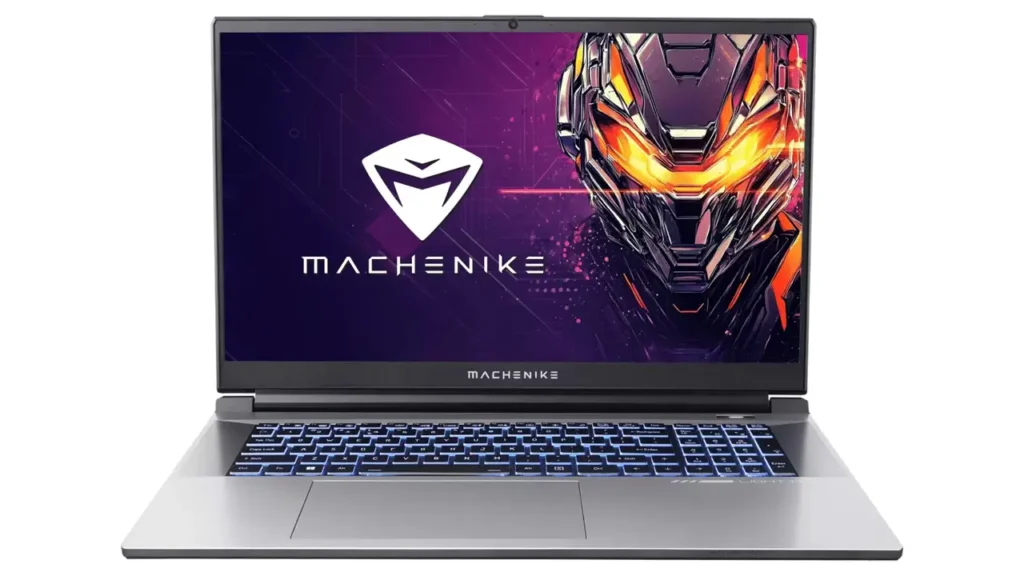
Aesthetic design follows understated gaming language. Sharp angles and aggressive vents mark this as a gaming machine, but RGB lighting remains confined to the keyboard rather than blazing from every surface. The lid features a subtle Machenike logo without garish branding or decorative flourishes. In office or library environments, the L17 Star doesn’t scream “gamer” the way some competitors do with their aggressive styling and external LED strips. This understated approach increases versatility if you need one machine for both gaming and professional contexts.
The keyboard spans the full width of the chassis with a complete number pad on the right side. Key travel measures approximately 1.5 millimeters, typical for gaming laptops though shallow compared to business machines like ThinkPads. The keycaps use a slightly textured finish that provides grip without feeling rough. Typing feel lands in the adequate category, comfortable enough for extended document work though not exceptional. The four-zone RGB backlighting allows basic customization through Machenike’s control software, with separate color control for left, center, right, and numpad sections. Per-key RGB would be nicer but adds cost that this value-focused machine avoids.
The trackpad measures 115 by 75 millimeters with a smooth glass surface and Windows Precision Touchpad drivers. Multitouch gestures work reliably, and cursor tracking feels accurate for general productivity tasks. Gaming will obviously involve an external mouse, but for web browsing, document editing, and casual use, the trackpad performs adequately. Physical click mechanisms integrate into the trackpad surface rather than using separate mouse buttons, a modern design that some users prefer while others miss dedicated button feedback.
Serviceability deserves mention as a strong point. The bottom panel attaches with standard Phillips-head screws without security bits or glued sections. Removing the panel reveals two SODIMM RAM slots, two M.2 NVMe slots, the battery, cooling system, and Wi-Fi card. The RAM configuration typically uses two 16GB DDR4 modules running at 3200MHz, upgradable to 64GB if needed. One M.2 slot houses the boot drive while the second remains available for expansion. Accessing the cooling system for repasting or cleaning is straightforward for users comfortable with basic hardware maintenance, an important consideration for keeping thermals optimal over years of use.
4. GPU angle: gaming and creator workloads
The GeForce RTX 4060 laptop GPU with 8GB of GDDR6 memory sits at the heart of this RTX 4060 laptop 17 inch configuration, defining both gaming capabilities and creative application performance. NVIDIA’s Ada Lovelace architecture brings improved power efficiency and AI-acceleration features compared to previous generation Ampere chips, making the RTX 4060 mobile a solid choice for 1440p gaming and GPU-accelerated workloads.
Raw specifications include 3072 CUDA cores running at boost clocks typically between 1470MHz and 2370MHz depending on the laptop’s power delivery and thermal headroom. The 8GB of GDDR6 memory connects via a 128-bit bus providing 192GB/s bandwidth. This memory configuration proves sufficient for 1440p gaming in current titles, though future games with increasingly detailed textures may eventually press against the 8GB limit. For now, the memory capacity matches well with the performance level and target resolution.
Gaming performance at 2560×1440 resolution places the RTX 4060 in sweet-spot territory. Competitive esports titles deliver excellent frame rates that fully utilize the 165Hz display. In Valorant, expect consistent 200+ fps with high settings. Counter-Strike 2 pushes 150 to 180fps depending on map complexity. Apex Legends runs between 120 and 144fps with high settings, occasionally dipping to 100fps in intense combat scenarios with multiple particle effects. These frame rates allow competitive gamers to take full advantage of the high refresh display for responsive, smooth gameplay.
AAA single-player titles require more nuanced settings adjustments but remain very playable at QHD resolution. Cyberpunk 2077 with ray tracing disabled runs between 60 and 75fps at high settings, with medium settings pushing closer to 80 to 90fps. Enabling DLSS Quality mode can boost performance by 30 to 40 percent while maintaining good image quality, making ray tracing viable at 50 to 60fps. Starfield targets 60 to 70fps at high settings. The Witcher 3 Next-Gen update runs between 70 and 90fps at ultra settings depending on location density. Red Dead Redemption 2 maintains 55 to 65fps at a mix of high and ultra settings.
Ray tracing performance benefits significantly from DLSS 3 Frame Generation where supported, though the RTX 4060 lacks the optical flow accelerator for true Frame Generation found in RTX 4070 and above. Standard DLSS Super Resolution remains available and provides meaningful performance uplift, typically adding 30 to 50 percent more frames depending on quality preset. In games supporting DLSS 3.5 with Ray Reconstruction like Cyberpunk 2077 and Alan Wake 2, image quality at lower internal resolutions improves noticeably compared to native rendering or older DLSS versions.
For content creation workflows, the RTX 4060 provides solid acceleration across numerous applications. Adobe Premiere Pro benefits from GPU acceleration for effects processing, encoding with NVENC hardware encoder, and playback of high-resolution timelines. Export times for 4K video with effects applied run significantly faster than CPU-only encoding, with NVENC delivering quality comparable to software H.264 and HEVC encoding in a fraction of the time. DaVinci Resolve similarly leverages GPU compute for color grading, fusion effects, and render operations, making real-time playback of graded 4K footage feasible.
Blender rendering using Cycles GPU compute shows respectable performance for a mobile chip, though obviously trailing desktop GPUs. The OptiX renderer provides excellent quality with good speed on even moderately complex scenes. For viewport performance and modeling work, the RTX 4060 handles detailed meshes smoothly. Adobe Lightroom Classic GPU acceleration speeds up preview rendering and export operations. Photoshop filters and effects requiring GPU compute execute quickly, and working with large multi-layer files remains responsive.
AI and machine learning applications benefit from the Tensor cores in the Ada architecture. Running stable diffusion image generation locally is viable, generating 512×512 images in approximately 8 to 12 seconds depending on step count and settings. Large language model inference using frameworks like oobabooga or koboldcpp can run smaller models entirely on the GPU, though 8GB VRAM limits model size compared to desktop cards with 12GB or more.
Power management for the GPU allows some user control through NVIDIA’s software and Machenike’s control center. Typical TGP for the RTX 4060 in this chassis lands between 75W and 115W depending on power mode and thermal conditions. Running in performance mode with adequate cooling allows the GPU to sustain boost clocks in the 2100MHz to 2200MHz range, delivering maximum performance at the cost of increased fan noise and power consumption. Balanced mode drops TGP to around 85W to 100W, reducing performance by roughly 10 to 15 percent while significantly improving acoustics and battery life. For productivity work away from outlets, the reduced power mode still provides GPU acceleration while extending battery runtime.
One limitation to note involves the memory bandwidth. The 128-bit memory bus on the RTX 4060 provides less bandwidth than higher-tier GPUs, which can become a bottleneck in memory-intensive scenarios like very high-resolution texture streaming or compute workloads with large datasets. In practice, this rarely impacts 1440p gaming performance but becomes more relevant if you attempt 4K gaming via external display or run specific professional applications with massive memory throughput requirements.
5. CPU plus platform basics
The Intel Core i7-12650H processor represents the Intel Core i7-12650H laptop platform foundation, bringing 12th-generation Alder Lake hybrid architecture to the mobile space. This chip combines performance cores and efficiency cores in a big.LITTLE design philosophy borrowed from mobile processors, aiming to deliver both peak performance and improved power efficiency depending on workload demands.
Core configuration splits into 6 performance cores and 4 efficiency cores for a total of 10 cores. The performance cores support Hyperthreading for 12 threads, while the efficiency cores lack Hyperthreading, giving 4 additional threads for a total of 16 threads system-wide. Base clocks start at 2.3GHz for performance cores and 1.7GHz for efficiency cores, with boost clocks reaching 4.7GHz on performance cores and 3.5GHz on efficiency cores under appropriate thermal and power conditions.
Cache hierarchy provides 24MB of Intel Smart Cache shared among all cores, with additional L2 cache dedicated to each core cluster. This generous cache allocation helps reduce memory latency for frequently accessed data, improving performance in applications with good data locality. Memory controller supports DDR4-3200 and DDR5-4800, with this particular machine equipped with DDR4-3200 to balance cost and performance.
Single-threaded performance from the i7-12650H competes well with contemporary processors, with the 4.7GHz boost clock on performance cores delivering snappy responsiveness in applications that rely heavily on single-core speed. Web browsing feels instantaneous, application launches occur quickly, and games that lean on primary thread performance run without CPU bottlenecks at 1440p resolution where GPU limits typically arrive first.
Multi-threaded workloads showcase the benefit of the 10-core design. Compiling code across all threads proceeds significantly faster than previous generation quad-core or hexa-core mobile chips. Video encoding using software encoders like x264 or x265 benefits from parallel thread execution, though hardware encoders on the GPU typically prove more practical for most users. 3D rendering in CPU-mode Blender or V-Ray utilizes all available threads, completing renders more quickly than lower core-count alternatives. Running virtual machines or containers with multiple concurrent instances benefits from having numerous threads available to schedule work.
The hybrid architecture shines in mixed workloads where foreground applications demand high performance while background tasks continue running. The Thread Director hardware in the 12th-gen chips provides intelligent scheduling hints to Windows 11, directing latency-sensitive tasks to performance cores while assigning background processes to efficiency cores. In practice, this means you can compile code or export video on performance cores while Windows Update, antivirus scans, or system maintenance tasks run on efficiency cores without impacting the primary workload’s responsiveness.
Power consumption and thermal output represent the tradeoff for this performance. At full load across all cores, the CPU can draw 45W to 60W sustained depending on configured TDP limits in the laptop’s firmware. Short-duration burst workloads allow higher power draw, potentially reaching 80W for brief periods until thermal or power limits engage. The integrated cooling system must dissipate this heat load plus the GPU’s thermal output, making cooling design critical for sustained performance.
Integrated graphics in the i7-12650H uses Intel Iris Xe with 64 execution units, providing basic GPU capability when the dedicated RTX 4060 remains idle. This integrated GPU handles desktop rendering, video playback, and light productivity tasks while consuming minimal power, allowing better battery life during non-gaming usage. Switching between integrated and discrete graphics occurs automatically through NVIDIA Optimus technology in most scenarios, though some configurations allow manual control for maximum battery life or maximum performance.
Platform connectivity includes PCIe 4.0 support for NVMe storage, delivering maximum sequential read speeds up to 7000MB/s and write speeds up to 5000MB/s depending on the specific SSD model installed. This storage speed makes a tangible difference in game load times, application launches, and file transfers compared to older PCIe 3.0 or SATA SSDs. The CPU also provides lanes for connecting the dedicated GPU, USB controllers, network interfaces, and other platform devices.
Comparison to competing processors helps contextualize performance. Against AMD’s Ryzen 7 6800H from the same generation, the i7-12650H trades blows depending on workload, with Intel showing slight edges in single-threaded tasks while AMD often leads in heavily parallel multi-threaded scenarios. In gaming, differences between these CPUs typically measure within margin of error at 1440p resolution where GPU limits dominate. Against Intel’s own 13th and 14th generation chips, the 12th-gen i7-12650H shows its age with lower clock speeds and fewer efficiency core counts, though it remains perfectly viable for current gaming and productivity needs.
Longevity considerations suggest the i7-12650H will remain relevant for several years. Current games rarely stress CPUs beyond the capability of this 10-core chip when paired with mid-range GPUs like the RTX 4060. Productivity applications benefit from the core count and will continue to do so as software increasingly leverages parallel execution. The primary factor limiting this laptop’s useful life will likely be GPU capability for future game titles rather than CPU performance reaching obsolescence.

6. Memory and storage: multitasking plus loads
The 32GB RAM 1TB SSD laptop configuration deserves examination for how it impacts practical daily use. Memory and storage represent two components where adequate capacity dramatically improves user experience, and the L17 Star 2K XL’s generous allocation in both areas eliminates common bottlenecks found in budget configurations.
System memory comes configured as 32GB of DDR4-3200MHz, typically installed as two 16GB SO-DIMM modules in dual-channel configuration. The dual-channel setup provides maximum memory bandwidth, effectively doubling throughput compared to single-channel configurations sometimes found in budget machines. Running memory bandwidth benchmarks shows approximately 45 to 50GB/s read speeds and similar write speeds, adequate for feeding data to the CPU and GPU without introducing unnecessary stalls.
For gaming workloads, 32GB proves more than sufficient for current titles. Most games allocate 8 to 12GB under normal circumstances, with particularly memory-hungry titles like Microsoft Flight Simulator or heavily modded games potentially reaching 16GB usage. Having 32GB installed means Windows can keep frequently accessed game assets cached in RAM, reducing load times when fast-traveling or loading new areas. Background applications like web browsers, Discord, music players, and peripheral control software consume their share of memory without forcing the game to compete for resources.
Content creation workflows benefit significantly from generous RAM allocation. Adobe Premiere Pro with multiple 4K video streams in the timeline easily consumes 16 to 24GB depending on effects applied and preview render cache. Leaving 8 to 16GB free allows smooth playback and prevents swapping to disk which would cause stuttering. Photoshop working with large multi-layer files appreciates having RAM for undo history, multiple open documents, and effect preview buffers. 3D applications like Blender or Maya benefit from keeping detailed geometry and textures in memory for responsive viewport interaction.
Virtual machines or containerized development environments consume memory voraciously. Running a Windows VM with 8GB allocated while hosting several Docker containers in the background easily eats 16 to 20GB of system RAM. Having 32GB total means the host operating system and native applications still have adequate memory without performance degradation. Software developers running multiple services simultaneously, database administrators testing configurations, or IT professionals managing virtual lab environments will appreciate not hitting memory limits.
Browser tab hoarders find 32GB liberating. Modern web applications written as complex JavaScript frameworks can consume 200 to 500MB per tab for sites like Google Sheets, Notion, or web-based IDEs. Opening 50+ tabs, something not uncommon for researchers or professionals managing multiple projects, becomes viable without the browser grinding to a halt from memory pressure. Background tabs remain responsive when switching between them rather than requiring reload after being evicted from memory.
The memory configuration allows upgrade to 64GB if future needs demand it. Both SO-DIMM slots support up to 32GB modules each, though finding affordable 32GB DDR4 SO-DIMMs requires some shopping. For most users, the installed 32GB will remain adequate through the laptop’s useful life, but the upgrade path exists for edge cases like professional workstation scenarios.
Storage starts with a 1TB NVMe SSD, providing ample space for operating system, applications, and a substantial game library. Modern AAA games frequently require 50 to 150GB each, so 1TB allows installation of 10 to 15 major titles with room remaining for operating system and productivity applications. The PCIe 4.0 interface delivers sequential read speeds around 6500 to 7000MB/s and write speeds from 4500 to 5500MB/s depending on the specific SSD model installed, likely a mid-range drive from Adata, Kingston, or similar manufacturers.
These storage speeds translate to real-world benefits. Game load times from initial launch to main menu, or fast-travel load screens within games, complete noticeably faster than older SATA SSDs or hard drives. Applications launch near-instantaneously with minimal delay from icon click to window appearance. Copying large files between partitions or extracting compressed archives proceeds swiftly without long waits.
The second M.2 slot provides easy expansion path when 1TB fills up. Adding a second 1TB or 2TB NVMe drive costs relatively little and requires only removing the bottom panel and inserting the drive into the empty slot. Windows recognizes the new drive immediately, and you can configure it as additional game storage or a dedicated partition for project files. This expansion capability future-proofs the system as game sizes continue growing and as users accumulate more data over time.
One consideration involves SSD endurance and longevity. Most NVMe drives in this price range offer endurance ratings between 600TBW and 1200TBW (terabytes written). For typical consumer usage involving gaming, productivity, and general computing, writing 10 to 30GB daily would exhaust the endurance rating after 20 to 100 years, essentially meaning the drive will last the useful life of the laptop. Heavy professional workloads involving constant video rendering or database operations write more data but even these scenarios typically remain within reasonable endurance margins.
Comparing to competing configurations highlights the value proposition. Many gaming laptops at similar price points compromise with 16GB RAM or 512GB storage to hit lower price targets. The 32GB and 1TB combination in the L17 Star 2K XL eliminates these compromises out of the box, avoiding the need for immediate upgrades or constant storage management to free space for new games.
7. Ports, connectivity, daily usability
The practical daily experience of owning a 17.3 inch gaming laptop extends beyond benchmark numbers to encompass port selection, wireless connectivity, and general usability factors that impact every interaction with the machine. The L17 Star 2K XL provides a reasonably comprehensive port array suited to desktop replacement scenarios.
| Port Type | Quantity | Location | Notes |
|---|---|---|---|
| USB-A 3.2 Gen 1 | 3 | 2 left, 1 right | 5Gbps transfer speed |
| USB-C 3.2 Gen 2 | 1 | Left side | 10Gbps, DisplayPort Alt Mode |
| HDMI 2.1 | 1 | Right side | 4K 120Hz capable |
| Ethernet RJ45 | 1 | Right side | Gigabit, 2.5GbE on some configs |
| 3.5mm combo jack | 1 | Left side | Headphone and microphone |
| SD card reader | 1 | Front edge | Full-size SD, UHS-I speed |
| DC power input | 1 | Right side rear | Barrel connector, ~180W |
The USB-A ports remain relevant for connecting peripherals like mice, keyboards, external hard drives, and gaming controllers without requiring adapters. Having three Type-A ports distributed across both sides means you can plug in a mouse on the right, a keyboard or external numpad on the left, and still have one free port for USB drives or other devices. The 5Gbps USB 3.2 Gen 1 speed proves adequate for most external storage, transferring large files at 400 to 500MB/s with quality external SSDs.
The USB-C port provides more modern connectivity with 10Gbps transfer speeds, fast enough for external NVMe SSD enclosures to reach their performance limits. DisplayPort Alt Mode support allows driving external monitors through this port using USB-C to DisplayPort cables, though most users will likely prefer the dedicated HDMI port for display output. The USB-C port also supports power delivery input on some configurations, allowing charging from USB-C power bricks though the included barrel connector adapter provides more wattage for sustained high-performance operation.
HDMI 2.1 output enables connecting to 4K displays at 120Hz or 1440p at 165Hz, matching the laptop’s internal display capabilities. This future-proofs the machine for external display upgrades and ensures you can mirror the high refresh rate experience on a larger monitor for gaming or extend the desktop for productivity with multiple displays. The HDMI port directly connects to the NVIDIA GPU, bypassing Optimus for best gaming performance on external displays without additional configuration.
Gigabit ethernet provides stable wired networking for gaming and large file transfers. Some configuration variants may include 2.5 Gigabit ethernet, offering even higher bandwidth for users with compatible network infrastructure. Wired networking remains superior to WiFi for competitive gaming due to lower latency and more consistent packet delivery without wireless interference.
Wireless connectivity comes via WiFi 6 (802.11ax) and Bluetooth 5.2, providing modern wireless standards for networking and peripherals. WiFi 6 delivers improved performance in congested wireless environments with better handling of multiple simultaneous devices. Practical throughput in good conditions reaches 600 to 900Mbps depending on router capabilities and environmental factors, more than adequate for streaming, downloads, and online gaming. Bluetooth 5.2 connects wireless mice, keyboards, headphones, and game controllers with improved range and lower latency compared to older Bluetooth versions.
The full-size SD card reader serves photographers and content creators who need to transfer images and video from cameras without adapters. UHS-I speed ratings support transfer rates up to 104MB/s, slower than UHS-II but compatible with all SD cards and sufficient for most photography workflows. Video shooters working with high-bitrate 4K footage from cameras using faster media might find transfers slower than desired, but having built-in SD support beats carrying dongles.
Audio capabilities include the 3.5mm combo jack supporting both headphone output and microphone input, accommodating most gaming headsets. The built-in speakers utilize a dual-speaker setup with bottom-firing drivers, adequate for casual media consumption but nothing special. Maximum volume reaches comfortable levels for personal viewing, though audio quality lacks the bass response and clarity of external speakers or quality headphones. For serious gaming or music production, users will connect external audio solutions anyway, making the built-in speakers perfectly serviceable for their intended backup role.
The webcam positioned above the display offers 720p resolution, sufficient for video calls though not impressive by modern standards. Image quality in good lighting appears acceptable with reasonable color balance, but low-light performance suffers with visible noise and reduced detail. For professional video conferencing or streaming, users will want external cameras, but the integrated camera handles casual Teams or Zoom calls adequately. A physical privacy shutter would be a welcome addition but isn’t included, though users can apply aftermarket webcam covers if privacy concerns arise.
Daily usability factors include keyboard feel for extended typing sessions, trackpad responsiveness for productivity work, and general ergonomics. The keyboard provides adequate travel and tactile feedback for comfortable typing, with the full layout including dedicated function keys and a number pad improving productivity for users working with spreadsheets or financial applications. The four-zone RGB backlighting adjusts to multiple brightness levels, helpful in dark environments without being overly distracting.
Battery life expectations should remain realistic for a 17-inch gaming laptop with high-performance components. The battery capacity typically measures around 70 to 80Wh depending on configuration, providing 3 to 5 hours of light productivity work with the display at moderate brightness and the system in power-saving mode. Gaming on battery drains charge rapidly, offering 60 to 90 minutes before requiring mains power. This machine works best tethered to outlets for serious work or gaming, with battery reserves serving for short mobile sessions or maintaining work during brief power interruptions.
Charging occurs through the barrel connector with the included ~180W power brick capable of simultaneously charging the battery while delivering full performance to the components. Charge times from empty to full typically require 120 to 150 minutes, faster than many competitors due to the high-wattage adapter. The power brick itself measures large and heavy, befitting its wattage rating, and isn’t something you’ll want to carry daily if minimizing bag weight matters.

8. Thermals and noise expectations
Understanding thermal performance and acoustic characteristics proves crucial for any laptop intended for demanding workloads, and examining the Machenike L17 Star specs reveals both strengths and compromises inherent to packing high-performance components into a mobile chassis.
| Specification | Details |
|---|---|
| Display | 17.3 inch IPS, 2560×1440, 165Hz, 300 nits, sRGB ~95% |
| Processor | Intel Core i7-12650H (10C/16T, 2.3-4.7GHz, 24MB cache) |
| Graphics | NVIDIA GeForce RTX 4060 8GB GDDR6 (3072 CUDA, 75-115W TGP) |
| Memory | 32GB DDR4-3200 (2×16GB, dual-channel, upgradable to 64GB) |
| Storage | 1TB NVMe PCIe 4.0 SSD (second M.2 slot available) |
| Cooling | Dual-fan design, 4-5 heat pipes, shared CPU/GPU cooling |
| Dimensions | 398 × 270 × 25 mm |
| Weight | ~2.7 kg (laptop), ~3.5 kg (with power adapter) |
| Battery | 70-80Wh (configuration dependent) |
| Networking | WiFi 6 (802.11ax), Bluetooth 5.2, Gigabit Ethernet |
The cooling system employs a dual-fan configuration with 4 to 5 heat pipes connecting the CPU and GPU to shared fin arrays. This shared cooling design represents a common approach in gaming laptops, allowing thermal capacity to shift between components depending on which generates more heat at any given moment. When gaming with the GPU running at high utilization while the CPU remains moderately loaded, cooling capacity focuses on GPU thermal dissipation. During CPU-intensive tasks like video encoding with the GPU idle, cooling effort shifts to the processor.
Thermal performance during gaming workloads shows CPU temperatures typically ranging from 75 to 88 degrees Celsius depending on ambient temperature and power mode settings. The GPU runs slightly cooler at 70 to 82 degrees Celsius during extended gaming sessions. These temperatures remain within safe operating ranges for the components, well below thermal throttling thresholds, though they do indicate the cooling system is working hard to maintain performance under load.
Fan noise represents an unavoidable compromise in high-performance laptops. Under maximum load in performance mode, fan speeds ramp to 4500 to 5000 RPM, producing noise levels measuring approximately 45 to 50 dBA at normal seating distances. This noise level is noticeable and will be audible over ambient room noise, though it doesn’t reach the shrieking levels of poorly designed systems. The fan noise character tends toward a steady whoosh rather than irritating high-pitched whine, making it more tolerable during extended sessions.
In balanced power mode, which most users will employ for typical gaming, fan speeds moderate to 3500 to 4000 RPM under load, reducing noise to 38 to 43 dBA. Performance drops by approximately 10 to 15 percent compared to maximum performance mode, but the acoustic improvement proves worthwhile for users sensitive to fan noise or gaming in quiet environments where others might be disturbed.
During light productivity workloads like web browsing, document editing, or media streaming, the cooling system remains nearly silent with fans spinning at minimum speeds or occasionally stopping entirely when thermal conditions allow. Noise levels drop to 28 to 32 dBA, barely audible above ambient room noise. The fans occasionally spin up briefly when Windows runs background tasks or when switching between applications triggers short CPU bursts, but these fan ramps settle quickly rather than maintaining elevated speeds unnecessarily.
One thermal management factor involves chassis surface temperatures. The area above the keyboard between the screen hinge and the function key row grows warm to the touch during gaming, reaching approximately 40 to 45 degrees Celsius. This warmth is noticeable but not uncomfortable. The WASD key area and palmrests remain cooler at 30 to 35 degrees Celsius, comfortable for extended gaming sessions. The bottom panel grows quite warm in the center where cooling components mount, discouraging lap use during gaming sessions and making a desk or cooling pad the preferred operating surface.
The Machenike Control Center software provides fan curve customization for users willing to experiment with thermal and acoustic balance. Custom fan profiles allow setting more aggressive cooling at lower temperatures if maximum performance matters more than noise, or conversely, more relaxed fan curves if tolerating slightly higher temperatures in exchange for quieter operation suits user preference. Most users will find the default profiles adequate, but enthusiasts appreciate having tuning options available.
Repasting the CPU and GPU with higher-quality thermal paste represents a common modification for users pursuing lower temperatures or quieter operation. Factory thermal paste application typically proves adequate but not exceptional, and replacing it with premium compounds like Thermal Grizzly Kryonaut or Noctua NT-H2 can drop temperatures by 3 to 8 degrees Celsius depending on application quality. This modification voids warranty in most regions but remains popular among enthusiast users comfortable with disassembly.
Long-term thermal maintenance involves periodic cleaning of the cooling fins and fans to prevent dust accumulation from reducing cooling efficiency. The bottom panel removal for cleaning access is straightforward, and users in dusty environments should plan to clean the cooling system every 6 to 12 months to maintain optimal thermal performance. Neglecting this maintenance can lead to gradually increasing temperatures and fan speeds over time as dust buildup restricts airflow.
Comparing thermal performance to competing machines shows the L17 Star 2K XL performs reasonably well for its class. Premium gaming laptops from ASUS or MSI may offer 5 to 10 degree lower temperatures through more sophisticated vapor chamber cooling or additional heat pipes, but these designs cost significantly more. Budget competitors with similar pricing often run hotter with louder fans, making the L17 Star’s thermal performance competitive for its price segment.
9. Pricing and positioning vs rivals
Understanding where the Machenike L17 Star price lands relative to competing options helps evaluate its value proposition in a crowded gaming laptop market. Pricing varies significantly by region and retailer, but typical street prices for the i7-12650H / RTX 4060 / 32GB / 1TB configuration range from $1,100 to $1,400 USD depending on sales and availability.
At these prices, the L17 Star 2K XL undercuts directly comparable configurations from major brands by approximately $200 to $400. An ASUS TUF Gaming A17 with similar specifications typically lists for $1,400 to $1,600. The MSI Cyborg 17 with comparable hardware runs $1,300 to $1,500. Lenovo’s Legion 5 Pro 16-inch models with similar specs command $1,400 to $1,700. The HP OMEN 17 with matching components sits around $1,500 to $1,800 depending on configuration.
| Model | Display | CPU/GPU | RAM/Storage | Typical Price |
|---|---|---|---|---|
| Machenike L17 Star 2K XL | 17.3″ QHD 165Hz | i7-12650H / RTX 4060 | 32GB / 1TB | $1,100-$1,400 |
| ASUS TUF A17 | 17.3″ QHD 165Hz | Ryzen 7 6800H / RTX 4060 | 16GB / 512GB | $1,400-$1,600 |
| MSI Cyborg 17 | 17.3″ FHD 144Hz | i7-12650H / RTX 4060 | 16GB / 1TB | $1,300-$1,500 |
| Lenovo Legion 5 Pro | 16″ QHD 165Hz | Ryzen 7 6800H / RTX 4060 | 16GB / 512GB | $1,400-$1,700 |
| HP OMEN 17 | 17.3″ QHD 165Hz | i7-12700H / RTX 4060 | 16GB / 512GB | $1,500-$1,800 |
The value proposition becomes clear when examining what competitors offer at comparable prices. The ASUS TUF A17 costs more while including only 16GB RAM and a 512GB SSD, requiring immediate upgrades to match the Machenike’s configuration. The MSI Cyborg 17 drops to FHD resolution rather than QHD and also skimps on memory. The Lenovo Legion 5 Pro offers excellent build quality but again compromises on RAM and storage while costing significantly more. The HP OMEN 17 uses a slightly faster CPU but provides less RAM and storage while commanding a premium price.
This price advantage stems from Machenike’s position as a newer brand without the established market presence of Tier 1 manufacturers. You’re trading brand recognition and potentially some build quality refinement for better specifications at the same price point. For buyers primarily concerned with performance per dollar and willing to accept a less prestigious badge, this tradeoff makes sense. For buyers who value established support networks, premium build materials, or brand cachet, the extra cost for major manufacturers may prove worthwhile.
Regional pricing variations significantly impact value calculations. In North American markets, the price gap between Machenike and major brands is substantial, making the L17 Star very competitive. In European markets, import duties and VAT narrow the gap somewhat. In Asian markets where Machenike maintains stronger presence, pricing is often even more aggressive. Buyers should check local availability and pricing rather than assuming specifications alone tell the complete value story.
Warranty and support represent important purchasing considerations beyond initial price. Major brands typically offer more comprehensive warranty coverage, established service networks with repair centers in multiple regions, and better English-language support documentation. Machenike’s warranty terms vary by region but generally provide 1-year limited warranty with return-to-depot service. Support quality has improved as the brand expands but may not match the experience of contacting ASUS, Lenovo, or Dell support. For users comfortable with DIY troubleshooting and willing to accept potentially slower support response times, this tradeoff is manageable. For corporate buyers or users who demand rapid support response, the lack of premium support infrastructure is a legitimate concern.
Sales and promotions significantly affect real-world pricing. The listed prices above represent typical retail, but gaming laptops frequently see discounts during holiday shopping periods, back-to-school sales, and other promotional events. The Machenike L17 Star has been observed at prices as low as $999 during aggressive sales, making it an exceptional value at those price points. Major brand competitors also discount heavily during sales but rarely reach the same specification-to-price ratio unless clearing old inventory.
Financing options vary by retailer and region. Major brands often partner with retail financing programs offering monthly payment plans, while Machenike availability through smaller retailers may limit financing options. Buyers should factor these purchasing conveniences into total cost of ownership if financing matters for their budget.
Resale value considerations favor major brands over newer manufacturers like Machenike. An ASUS or MSI laptop will likely retain higher resale value after 2-3 years compared to a Machenike, simply due to brand recognition among used equipment buyers. Users who regularly upgrade and sell previous machines to offset new purchases should account for potentially lower resale returns on less-known brands. Conversely, users who typically use machines until they’re no longer functional derive less benefit from higher resale value since they’re keeping the device regardless.

10. Verdict: who should consider it in 2026
After examining all aspects of the Machenike L17 Star 2K XL, we can identify which users will benefit most from this machine and which should consider alternatives. The strongest recommendation applies to gamers and power users seeking maximum specification value who don’t require premium build materials or brand prestige.
The best 17 inch QHD gaming laptop for your needs depends on your priorities, and the L17 Star 2K XL excels in specific scenarios. If you want a large high-refresh display for competitive gaming or immersive single-player experiences, the 17.3-inch 165Hz QHD panel delivers excellent visual quality. If you value having generous RAM and storage out of the box without paying premium prices or performing immediate upgrades, the 32GB and 1TB configuration eliminates these common bottlenecks. If you need GPU acceleration for content creation alongside gaming capability, the RTX 4060 handles both workloads competently at 1440p resolution.
The target buyer is someone who approaches laptop purchasing primarily through specifications and performance rather than brand loyalty or aesthetic considerations. You understand that a less-known manufacturer can deliver quality hardware at better prices by avoiding marketing expenses and brand premium. You’re comfortable with potentially less responsive support and may need to troubleshoot issues independently or through community resources rather than premium support channels. You plan to use this machine primarily at a desk with occasional relocation rather than constant mobility, making the 17-inch form factor practical rather than burdensome.
Students pursuing degrees in engineering, computer science, or creative fields will appreciate having workstation-class specifications for running CAD software, compiling large codebases, or editing video projects, with the added benefit of strong gaming performance during downtime. The generous RAM allows running virtual machines for development or testing without performance compromises. The large display provides workspace for complex applications with numerous toolbars and panels without feeling cramped.
Content creators working with photography, video editing, or 3D modeling gain a capable portable workstation. The color-accurate display handles photo editing for web delivery, the GPU accelerates video exports and effects processing, and the RAM capacity allows smooth timeline scrubbing with multiple 4K streams. While professional studio work might demand higher-end color accuracy and even more powerful hardware, the L17 Star serves well for freelancers and enthusiasts producing quality content without six-figure production budgets.
Remote workers or hybrid office-home employees benefit from having a single capable machine that handles both productivity workloads and personal entertainment. The large display reduces the need for external monitors at home, while the performance handles video conferencing, multi-application workflows, and end-of-day gaming equally well. The desktop replacement form factor makes sense when you’re moving between fixed locations rather than working from coffee shops daily.
Conversely, certain users should look elsewhere. If brand reputation and premium support matter significantly to you, invest the extra money in ASUS ROG, MSI, or Lenovo Legion machines despite their higher cost for similar specifications. The established support networks, comprehensive warranties, and brand trust provide value beyond raw specifications for users who prioritize these factors.
Frequent travelers need smaller, lighter machines. The L17 Star’s size and weight work against constant mobility, making 14-inch or 15-inch alternatives more practical if you’re routinely working from airports, trains, or temporary locations. Battery life limitations on gaming laptops also favor smaller machines with lower-power components for extended untethered operation.
Users who demand cutting-edge build quality and premium materials should look toward higher-end product lines. The L17 Star’s plastic chassis feels solid but lacks the machined aluminum and precision engineering of premium gaming laptops. If tactile quality and aesthetics matter as much as performance, investing more in premium offerings provides tangible benefits.
Professional environments with strict IT support requirements may not accommodate lesser-known brands. Corporate IT departments often standardize on major manufacturers with established business support channels, making the Machenike a poor fit regardless of its consumer value proposition.
Looking forward to 2026 and beyond, the Machenike L17 Star 2K XL offers solid longevity. The i7-12650H and RTX 4060 combination remains capable for current gaming at 1440p and will continue serving well for several years as long as you’re willing to adjust settings as games become more demanding. The 32GB RAM future-proofs against increasing software requirements, and the easy storage expansion path means growing game libraries won’t force compromises.
Component upgrade paths exist for extending useful life. The RAM can expand to 64GB if needed for professional workloads. Adding a second SSD provides storage expansion without replacing the boot drive. Repasting cooling components after a year or two maintains thermal performance. These serviceability factors mean the L17 Star can adapt to changing needs rather than becoming obsolete when requirements evolve.
In conclusion, the Machenike L17 Star 2K XL delivers strong value for specification-focused buyers willing to accept a less-known brand. The combination of QHD high-refresh display, capable CPU and GPU, generous RAM and storage, and reasonable pricing creates a compelling package for gamers, creators, and power users. The desktop replacement form factor suits users seeking a single powerful machine for primarily stationary use with occasional portability. While it lacks the premium polish and brand recognition of major competitors, it provides better specifications for the money, making it an excellent choice for buyers who prioritize performance over prestige.
Discover how AI is changing design workflows with Recraft V3 — a smart vector logo generator that outputs clean, scalable SVGs in minutes. If you’re building a brand, refreshing a store, or just need fast assets for web and social, this tool can save serious time. Full overview: https://aiinnovationhub.shop/recraft-v3-ai-vector-logo-generator-svg/
