
The best Chinese Tablets (2026): Top Models, Brands, and Deals

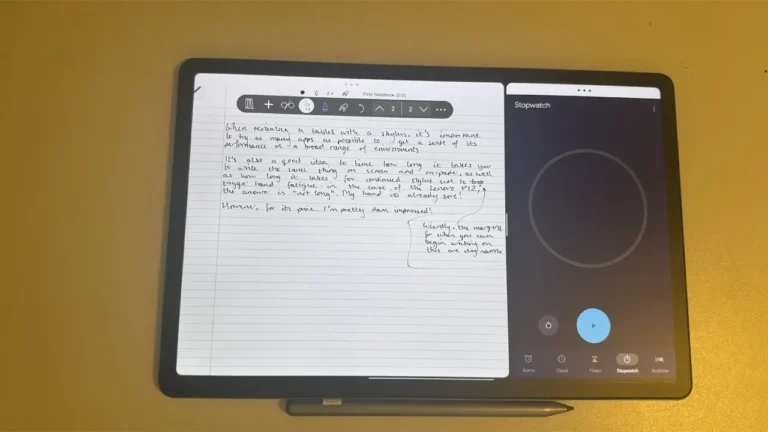


The Chinese tablet market has exploded in recent years, offering compelling alternatives to mainstream brands at every price point. Chinese tablets now compete head-to-head with established players, delivering premium displays, powerful processors, and ecosystem integration that rivals anything from Cupertino or Seoul. Whether you’re a student hunting for a budget workhorse, a creative professional seeking a portable canvas, or a mobile gamer chasing high refresh rates, there’s a Chinese tablet engineered for your exact needs.
Updated for 2026, this guide cuts through the noise to highlight the brands, models, and features that matter. We’ve researched official specs, tracked firmware updates, and compared value propositions across dozens of devices. The result? A clear roadmap to help you find the perfect tablet—no matter your budget or use case.
Best Chinese Tablets: Our Top Picks for 2026
When we talk about the best Chinese tablets, we’re looking at devices that nail the fundamentals: vibrant displays with high refresh rates, responsive performance for multitasking, day-long battery life, and software that actually gets updated. The cream of the crop in 2026 includes flagships from Xiaomi’s Pad series, Lenovo’s versatile Tab lineup, and Huawei’s productivity-focused MatePad models.
What sets these apart? Premium materials like aluminum unibody construction, quad-speaker arrays tuned by Harman Kardon or Dolby Atmos, pressure-sensitive stylus support, and desktop-class chipsets. The Xiaomi Pad 6S Pro, for instance, pairs Snapdragon 8 Gen 2 power with a 144Hz AMOLED panel, while Huawei’s MatePad Pro 13.2 brings a desktop-like experience with keyboard and multi-window workflows.
Mid-range champions deserve recognition too. The Xiaomi Pad 6 offers flagship features at half the price—120Hz LCD, Snapdragon 870, and quad speakers—while Lenovo’s Tab P12 balances productivity and entertainment with its expansive 12.7-inch 3K display. These devices prove you don’t need to max out your credit card to get a stellar tablet experience.
At the budget end, brands like Teclast and Alldocube punch well above their weight class, delivering 2K displays and octa-core processors for under $200. They’re not perfect—expect slower updates and modest cameras—but for casual browsing, streaming, and light productivity, they’re unbeatable value.
Android Ecosystem: Updates and Software Experience
Nearly every mainstream Chinese Android tablet runs a customized version of Google’s OS: MIUI Pad on Xiaomi devices, ZUI on Lenovo tablets, and HarmonyOS (with Android app compatibility) on newer Huawei models. These interfaces add desktop-like features—floating windows, split-screen multitasking, stylus note-taking apps—that stock Android doesn’t offer.
The update situation has improved dramatically. Xiaomi now promises three years of Android version updates and four years of security patches for its Pad 6 series and above. Lenovo matches this commitment for its Tab P-series flagships. Huawei’s HarmonyOS devices receive regular feature drops every quarter, though Google Mobile Services remain unavailable due to ongoing US sanctions.
One caveat: budget brands lag behind. Teclast and Alldocube typically ship devices with Android 12 or 13, with security patches often six months behind. Updates arrive sporadically, if at all. If you prioritize long-term software support, stick with Xiaomi, Lenovo, or Huawei’s premium lines.
Custom launchers and themes offer deep personalization. Xiaomi’s MIUI Pad lets you tweak everything from icon packs to transition animations. Lenovo’s Productivity Mode transforms your tablet into a desktop environment with a taskbar and resizable windows. These touches make Android feel less like a blown-up phone interface and more like a dedicated tablet OS.
Budget Champions: Maximum Value for Minimum Spend
Budget Chinese tablets have democratized portable computing. For $150–$250, you’re getting hardware that would’ve cost $500+ just three years ago: Full HD+ displays, 6GB of RAM, 128GB storage, and batteries large enough to last two days of moderate use.
Xiaomi’s Redmi Pad SE exemplifies this category. At around $180, it packs a 10.6-inch 90Hz display, Snapdragon 680 processor, quad speakers, and an 8,000mAh battery. It won’t edit 4K video or run Genshin Impact at max settings, but it handles YouTube, Netflix, web browsing, and document editing without breaking a sweat. The metal build feels premium too—no creaky plastic here.
Lenovo’s Tab M10 Plus (3rd Gen) plays in the same sandbox, offering a slightly larger 10.6-inch screen with Dolby Atmos audio. It’s become a favorite for kids’ tablets thanks to Lenovo’s robust parental controls and tough build quality. Add a folio case, and it survives classroom chaos.
The sweet spot for budget buyers is $200. At this price point, look for:
- At least a Full HD (1920×1200) display with 90Hz refresh rate
- Snapdragon 680 or MediaTek Helio G99 processor
- 6GB RAM (8GB preferred)
- Expandable storage via microSD
- USB-C charging (ideally 18W or faster)
- Dual-band Wi-Fi 5 at minimum
Models hitting these benchmarks include the Teclast M50 Pro, Alldocube iPlay 50 Mini, and Xiaomi Redmi Pad. All three offer exceptional value, though you’ll sacrifice camera quality and the latest Android version.
Gaming on the Go: Performance Tablets Built for Play
The rise of mobile esports and cloud gaming has birthed a new category: the Chinese gaming tablet. These devices prioritize high refresh rates, powerful GPUs, robust cooling systems, and gaming-centric features like shoulder triggers and performance modes.
Lenovo’s Legion Y700 (2023 and 2024 iterations) remains the gold standard for compact gaming tablets. Its 8.8-inch 144Hz LCD, Snapdragon 8+ Gen 1 chip, and dual X-axis linear motors deliver a console-like experience in your hands. The smaller form factor fits perfectly for thumb-based gameplay in PUBG Mobile or Call of Duty Mobile, while the 45W fast charging gets you back in the match quickly.
For those who want a larger canvas, the Xiaomi Pad 6S Pro brings flagship gaming to an 11-inch 144Hz AMOLED screen. The Snapdragon 8 Gen 2 handles Genshin Impact at max settings with stable 60fps, and the vapor chamber cooling keeps throttling at bay during marathon sessions. MIUI’s Game Turbo mode optimizes performance and blocks notifications mid-game.
Even mid-range tablets have upped their gaming credentials. The Xiaomi Pad 6 (Snapdragon 870, 120Hz) and Lenovo Tab P11 Gen 2 (MediaTek G99, 90Hz) handle popular titles like Mobile Legends, League of Legends: Wild Rift, and Asphalt 9 without hiccups. They won’t max out the most demanding games, but they’re more than capable for the average mobile gamer.
Cloud gaming deserves a mention too. Services like Xbox Cloud Gaming and NVIDIA GeForce NOW run beautifully on Chinese tablets with strong Wi-Fi antennas and low-latency displays. Pair a Bluetooth controller with a Lenovo Tab P12, and you’re streaming AAA PC games at 1080p—no console required.
Xiaomi Pad Series: The Sweet Spot for Most Users
The Xiaomi Pad lineup has become synonymous with value-packed Android tablets. Xiaomi’s strategy is simple: take near-flagship specs, wrap them in premium metal bodies, and price them 30–40% below Samsung or Apple equivalents. It’s working—the Pad series dominates sales charts across Asia and Europe.
At the top sits the Xiaomi Pad 6S Pro (12.4-inch), which targets creative professionals and power users. Its 3K AMOLED display supports 10-bit color and 144Hz refresh, making it ideal for photo editing and design work. The Snapdragon 8 Gen 2 provides desktop-class performance, while the optional keyboard and stylus transform it into a 2-in-1 workstation. MIUI Pad’s improved desktop mode even supports external monitors via USB-C.
The mainstream champion is the Xiaomi Pad 6 (11-inch). For around $350, you get a metal build, 2.8K LCD at 120Hz, Snapdragon 870, quad speakers, and all-day battery. It’s the tablet I recommend most often—it simply does everything well without breaking the bank. Students love it for note-taking with the optional Xiaomi Smart Pen, while families appreciate the multiple user profiles and eye-care modes.
Budget-conscious buyers should eye the Redmi Pad series. The Redmi Pad Pro (around $280) brings a larger 12.1-inch display and MediaTek Dimensity 7050 performance, while the Redmi Pad SE (around $180) offers the essentials in a compact 10.6-inch package. Both share Xiaomi’s attention to detail: clean software, timely updates, and excellent build quality.
Xiaomi’s ecosystem play strengthens the value proposition. Your Pad syncs seamlessly with Xiaomi smartphones, earbuds, and smart home devices. Shared clipboard, universal control, and device continuity features make multi-device workflows surprisingly smooth.
| Model | Display | Processor | Price Range |
|---|---|---|---|
| Xiaomi Pad 6S Pro | 12.4″ 3K AMOLED 144Hz | Snapdragon 8 Gen 2 | $550-$650 |
| Xiaomi Pad 6 | 11″ 2.8K LCD 120Hz | Snapdragon 870 | $330-$380 |
| Redmi Pad Pro | 12.1″ 2.5K LCD 120Hz | Dimensity 7050 | $260-$300 |
| Redmi Pad SE | 10.6″ FHD+ LCD 90Hz | Snapdragon 680 | $160-$200 |
Lenovo Tablets: Versatility for Work, Study, and Play
Lenovo tablet offerings span the entire spectrum, from $100 kids’ devices to $700 productivity powerhouses. What unifies them is Lenovo’s focus on versatility—these tablets adapt to different roles through clever accessories and software modes.
The flagship Tab P12 series targets professionals and creatives. The Tab P12 Pro (2024) sports a gorgeous 13-inch 3K OLED display with HDR10+ and a 120Hz refresh rate, powered by MediaTek’s Dimensity 9000 chip. The optional keyboard cover includes a precision trackpad that makes the tablet feel like a proper laptop. Lenovo’s Freestyle mode lets you prop the tablet at any angle with the integrated kickstand—perfect for Zoom calls or second-screen duties.
For students and everyday users, the Tab P11 series hits the sweet spot. The Tab P11 (2nd Gen) pairs an 11.5-inch 2K display with a MediaTek G99 processor and starts at just $250. Lenovo bundles its Smart Pen with many configurations, making it a no-brainer for digital note-taking and sketching. The Reading Mode automatically adjusts color temperature and brightness based on ambient light—your eyes will thank you after long study sessions.
Lenovo hasn’t forgotten entertainment either. The Tab Extreme brings a massive 14.5-inch OLED screen with eight JBL speakers—basically a portable home theater. At around $850, it’s pricey, but content consumption has never looked or sounded better.
The company’s budget M-series (Tab M9, M10, M11) focuses on basics done well: durable builds, long battery life, and kid-friendly features. The Tab M10 Plus includes Lenovo’s Kids Space—a secure environment with curated apps, screen time limits, and eye care reminders. Parents can monitor usage from their phones, making it a stress-free first tablet for children.
Lenovo’s productivity edge shows in its software. Productivity Mode adds a Windows-like taskbar with app shortcuts and a system tray. Freestyle pane lets you resize windows freely or tile them in custom layouts. Second Screen mode turns your tablet into a wireless monitor for your laptop—clutch for travelers.
Huawei Tablets: Ecosystem Excellence Despite Google’s Absence
The Huawei tablet story is complicated but compelling. US sanctions cut Huawei off from Google Mobile Services in 2019, forcing the company to build its own HarmonyOS ecosystem. The result? Tablets that excel at cross-device collaboration but lack native YouTube, Gmail, and Google Play apps.
The MatePad Pro series showcases what Huawei does best. The MatePad Pro 13.2 (2024) features a stunning 13.2-inch OLED display with 144Hz refresh, Kirin 9000S chipset, and the best multi-window implementation on Android/HarmonyOS. You can run up to four apps simultaneously in resizable windows, drag and drop content between them, and dock frequent apps in a persistent sidebar.
Huawei’s SuperDevice feature is the killer app. When your MatePad, Huawei phone, and Huawei earbuds are nearby, they form a unified system. Start a document on your phone, continue on your tablet, and your audio seamlessly transfers between devices. Mirror your phone screen to the tablet for drag-and-drop file transfers. Use your tablet as a second display for your Huawei laptop. It’s Apple-level ecosystem magic—if you’re all-in on Huawei hardware.
The M-Pencil (3rd gen) deserves praise too. With 16,384 pressure levels and 2ms latency, it’s the best stylus in the Android world. Artists and designers appreciate the tilt sensitivity and free-flowing ink in Huawei’s native note apps. The stylus magnetically attaches to the tablet for wireless charging.
The catch? No Google apps. Huawei’s AppGallery has grown impressively—most popular apps are available, and many Google services work through mobile web versions—but it’s still a compromise. Banking apps and some games remain missing. For users outside China who rely heavily on Google’s ecosystem, this is a deal-breaker.
For those who can work around it, Huawei tablets offer exceptional hardware at competitive prices. The MatePad 11.5 (2024) delivers flagship specs—120Hz OLED, Snapdragon 7 Gen 1, quad speakers—for around $400. The battery life is remarkable too; the 10,000mAh cell routinely lasts two full days.
| Brand | Strengths | Best For | Considerations |
|---|---|---|---|
| Xiaomi | Value, specs, regular updates | General use, students | Ad-heavy MIUI (removable) |
| Lenovo | Productivity modes, versatility | Work, students, families | Mid-range chips in some models |
| Huawei | Ecosystem, premium hardware | Huawei users, creatives | No Google services |
| Teclast | Extreme budget value | Light use, seniors | Infrequent updates, basic cameras |
| Alldocube | Affordable 2-in-1 designs | Budget-conscious buyers | Hit-or-miss QC, slow support |
Budget Brands: Teclast and Alldocube Compared
When your budget caps at $200, Teclast tablet and Alldocube tablet options dominate the field. These brands pioneered the “good enough for less” philosophy, proving you don’t need premium materials or flagship chips for satisfying everyday performance.
Teclast has been making tablets since the early 2010s, refining its formula with each generation. The current star is the Teclast M50 Pro—a 10.1-inch tablet with a sharp 2K display, octa-core Unisoc T616 processor, 8GB RAM, and 256GB storage for around $180. It handles multitasking surprisingly well, runs most apps smoothly, and the 6,000mAh battery lasts a full day. The metal back adds a premium touch missing from most budget competitors.
Where Teclast stumbles is software support. Devices ship with Android 13 (as of early 2026) but security patches lag months behind. Customer service is sparse—expect to troubleshoot issues via forum posts rather than official support channels. Camera quality is strictly functional; the 8MP rear shooter is fine for document scanning but little else.
Alldocube takes a slightly different approach, focusing on 2-in-1 form factors. The iPlay 50 Mini Pro includes a detachable keyboard case that transforms the tablet into a mini laptop. At $170, it’s an incredible value for students who need to type essays or business users checking emails on the go. The Spreadtrum SC9863A processor isn’t powerful, but it handles Google Docs, Sheets, and web browsing without major slowdowns.
Build quality varies more with Alldocube. Some units feel solid; others exhibit creaky bezels or uneven screen lamination. Quality control seems less consistent than Teclast’s. On the flip side, Alldocube often includes more generous bundles—protective cases, screen protectors, and styluses that would cost extra elsewhere.
Both brands share common limitations:
- Cameras: Forget taking quality photos. Budget tablets use bargain-bin sensors that barely function in good light.
- Speakers: Mono or low-quality stereo. Headphones are mandatory for media.
- Updates: Security patches every 6–12 months, if you’re lucky. Major OS upgrades are rare.
- Support: Limited warranty coverage and slow response times.
Who should buy budget Chinese tablets? They’re perfect for secondary devices—a kitchen tablet for recipes, a bedside screen for reading, a car entertainment system for kids. They’re also excellent for seniors who just want to video call grandchildren and browse news. Just don’t expect the longevity or polish of pricier brands.
If you’re choosing between the two, Teclast generally offers better build quality and performance, while Alldocube wins on included accessories and 2-in-1 versatility. Check recent reviews before buying, as both brands frequently refresh their lineups.
Display Technology: What to Look For
Display quality separates great tablets from mediocre ones. Chinese manufacturers have made huge strides here, adopting technologies once reserved for flagship devices.
Resolution matters: Aim for at least 1920×1200 (Full HD+) for screens 10 inches and larger. The sweet spot is 2K (2560×1600), which delivers crisp text and vibrant media without killing battery life. Flagship models like the Xiaomi Pad 6S Pro and Huawei MatePad Pro push into 3K territory—gorgeous for creative work but overkill for most users.
Refresh rate has become a key differentiator. Standard 60Hz displays feel sluggish next to 90Hz or 120Hz panels. Scrolling through web pages, swiping between apps, and gaming all benefit from the extra smoothness. High-end models hit 144Hz, which mobile gamers will appreciate in fast-paced titles. Budget buyers can find 90Hz screens on tablets under $200 now—a feature that was premium just two years ago.
Panel type splits into LCD and OLED camps. Most Chinese tablets use IPS LCD panels, which offer excellent viewing angles and accurate colors at lower costs. OLED appears on premium models, delivering perfect blacks, infinite contrast, and vibrant colors. The trade-off? OLED costs more and can suffer burn-in with static elements. For media consumption, OLED wins. For productivity with static interfaces, LCD makes more sense.
Brightness becomes critical if you use your tablet outdoors or in bright rooms. Look for at least 400 nits typical brightness; 500+ is ideal. Cheaper tablets often max out at 300 nits, making outdoor use frustrating.
Color accuracy varies wildly. Flagship Xiaomi and Huawei tablets cover 100% of the DCI-P3 color gamut with factory calibration, making them suitable for photo editing. Budget models typically cover 70–80% of sRGB—fine for general use but not color-critical work.
Eye care features have become standard. Blue light filters, reading modes, and DC dimming reduce eye strain during long sessions. Lenovo’s adaptive brightness smartly adjusts based on content type—brighter for photos, dimmer for reading.
Battery Life and Charging: All-Day Endurance
Chinese tablets excel at battery life, often outlasting Western competitors. The secret? Massive battery cells paired with efficient processors and software optimization.
Capacity ranges from 6,000mAh in compact tablets to 10,000mAh+ in 12-inch+ models. Real-world endurance varies by usage, but most quality Chinese tablets deliver:
- 12–15 hours of video streaming (720p, 50% brightness)
- 8–10 hours of web browsing over Wi-Fi
- 6–8 hours of gaming
- 15–20 hours of reading/light use
The Xiaomi Pad 6, with its 8,600mAh cell, routinely lasts two days of moderate mixed use. Huawei’s MatePad models with 10,000mAh batteries can stretch to three days if you’re just reading and web browsing.
Charging speeds have improved dramatically. Budget tablets charge at 10W–18W, taking 3–4 hours for a full charge. Mid-range models hit 33W, cutting that to under 2 hours. Flagships like the Xiaomi Pad 6S Pro support 67W charging—0 to 100% in just 60 minutes.
USB-C has become universal, thankfully. Even budget Teclast models include USB-C ports, though not all support fast charging or video output. Higher-end tablets can push DisplayPort video to external monitors and charge simultaneously with the right cables.
Power efficiency varies by processor. Qualcomm’s Snapdragon chips generally offer better standby time and video playback efficiency than MediaTek or Unisoc alternatives. ARM-based processors in general sip power compared to x86 chips, which is why tablets outlast most laptops.
Accessories: Keyboards, Styluses, and Cases
Chinese tablet makers have learned from Apple’s playbook: selling accessories boosts margins and enhances user experience. The result is a robust ecosystem of official and third-party add-ons.
Keyboards transform tablets into laptop replacements. Xiaomi’s official keyboard for the Pad 6S Pro features a precision trackpad, backlit keys, and a clever magnetic attachment system. At $150, it’s pricey but well-built. Lenovo’s keyboards often bundle with tablets or cost $50–$80, making them more accessible. Third-party options flood the market—Bluetooth keyboards from $20 work fine, though build quality is hit-or-miss.
Key factors for tablet keyboards:
- Connection: Magnetic pogo pins beat Bluetooth for zero-lag typing
- Trackpad: Essential for productivity, size matters
- Key travel: 1.3mm+ feels comfortable for long typing sessions
- Backlight: Helpful in dim environments
- Angle: Adjustable viewing angles prevent neck strain
Styluses have become surprisingly good. Xiaomi’s Smart Pen (2nd gen) offers 4,096 pressure levels and palm rejection for around $60. Huawei’s M-Pencil (3rd gen) pushes to 16,384 levels with tilt sensitivity—professional illustrators use these for actual client work. Even budget brands like Teclast offer basic capacitive styluses bundled with some models.
Active styluses require app support. Native apps like Xiaomi Notes, Lenovo Freestyle, and Huawei GoPaint offer the best experiences. Third-party apps like Concepts, Infinite Painter, and Squid work across brands.
Cases range from $10 flip covers to $50 premium folio cases with built-in stands. Look for:
- Auto wake/sleep magnets
- Multiple viewing angles
- Pencil holder (if you own a stylus)
- Shock absorption for corners
- Precise cutouts for ports and cameras
Screen protectors are worthwhile for stylus users. Matte protectors add paper-like texture that improves drawing feel, though they slightly reduce display clarity.
Performance Tiers: Matching Hardware to Your Needs
Not everyone needs flagship performance. Here’s how to match processor tiers to real-world usage.
Budget tier ($100–$250): Snapdragon 680, MediaTek Helio G99, Unisoc T616
- Perfect for: Web browsing, streaming video, email, social media, reading
- Struggles with: Heavy multitasking, demanding games, video editing
- Examples: Redmi Pad SE, Teclast M50 Pro, Alldocube iPlay 50
Mid-range tier ($250–$450): Snapdragon 870, MediaTek Dimensity 7050, Snapdragon 7+ Gen 2
- Perfect for: Productivity apps, light gaming, photo editing, note-taking
- Handles: Multiple apps open, 1080p video editing, emulation, cloud gaming
- Examples: Xiaomi Pad 6, Lenovo Tab P11 Gen 2, Redmi Pad Pro
Flagship tier ($450+): Snapdragon 8 Gen 2/3, MediaTek Dimensity 9000+, Kirin 9000S
- Perfect for: Gaming, 4K video editing, creative work, desktop replacement
- Excels at: Everything, with headroom for demanding future apps
- Examples: Xiaomi Pad 6S Pro, Lenovo Tab P12 Pro, Huawei MatePad Pro 13.2
RAM and storage deserve attention too. 6GB RAM is the minimum for comfortable multitasking; 8GB is ideal; 12GB+ is for power users running heavy apps. Storage-wise, 128GB satisfies most users, especially with microSD expansion. If you shoot lots of photos or download games, 256GB avoids constant storage management.
Connectivity: Wi-Fi, LTE, and 5G Options
Most Chinese tablets are Wi-Fi-only, but cellular models are available if you need internet everywhere. Understanding the options helps you choose wisely.
Wi-Fi 5 (802.11ac) is standard on budget tablets. It’s fine for home use but can bottleneck if you have gigabit internet. Range is decent, speeds cap around 400–500Mbps in ideal conditions.
Wi-Fi 6 (802.11ax) appears on mid-range and flagship models. It offers better speeds (up to 1.2Gbps), improved range, and handles network congestion better—crucial if your household has dozens of connected devices. If your router supports Wi-Fi 6, the upgrade is worthwhile.
Wi-Fi 6E shows up on cutting-edge flagships like the Xiaomi Pad 6S Pro. The 6GHz band offers even faster speeds and zero interference, though you need a Wi-Fi 6E router to benefit.
LTE models add $50–$100 to the price. They’re worth it if you travel frequently, work remotely without reliable Wi-Fi, or want a backup internet option. Chinese tablets support a wide range of 4G LTE bands, though always verify your region’s bands are covered. The Xiaomi Pad 6 LTE variant supports 20+ global bands, making it travel-friendly.
5G tablets are emerging but rare. The Lenovo Legion Y700 5G and some MatePad models offer 5G connectivity, which is overkill for most users in 2026—5G coverage remains spotty, and Wi-Fi 6 at home is faster anyway. Save your money unless you live in an area with excellent 5G coverage and genuinely need mobile connectivity.
Bluetooth has standardized around 5.0 or newer. This enables stable connections to wireless keyboards, mice, earbuds, and game controllers with improved range and lower power consumption.
GPS shows up in LTE/5G models, enabling navigation when you’re out and about. Wi-Fi-only tablets can still get location data through Wi-Fi positioning, but it’s less accurate.
Audio Quality: From Tinny to Theater
Tablet speakers have improved dramatically. Chinese brands realized that people watch hours of YouTube and Netflix on these devices—decent audio matters.
Dual speakers (one on each side in landscape) is the bare minimum. They provide basic stereo separation but lack depth and bass. Budget tablets like the Teclast M40 Air use this configuration.
Quad speakers have become standard on mid-range and flagship models. Xiaomi’s Pad 6 series, Lenovo’s Tab P lineup, and Huawei’s MatePads all feature four speakers tuned by audio partners like Dolby Atmos, Harman Kardon, or JBL. The result is surprisingly room-filling sound with actual bass response.
Speaker placement affects experience significantly. The best tablets position speakers on the top and bottom edges in landscape orientation, creating a wider soundstage. Some cheaper models cluster speakers on one side, which sounds unbalanced.
Tired of “beautiful” AI images that fall apart the moment you try to print them? 😅 Here’s the upgrade: Recraft V3 — an AI tool that generates real vector (SVG) logos and icons, not pixel-based art. That means you can scale your design for a storefront sign, packaging, app UI, or even a T-shirt print without the classic “blurry edge” drama.
For e-commerce owners, this is huge: faster branding, consistent icon sets, and graphics that look pro everywhere — from product cards to big banners. If Midjourney is your moodboard, Recraft is your “ready for business” machine.
Full review here: https://aiinnovationhub.shop/recraft-v3-ai-vector-logo-generator-svg/
best Chinese Tabletsbest Chinese Tabletsbest Chinese Tabletsbest Chinese Tabletsbest Chinese Tabletsbest Chinese Tabletsbest Chinese Tabletsbest Chinese Tabletsbest Chinese Tabletsbest Chinese Tabletsbest Chinese Tabletsbest Chinese Tabletsbest Chinese Tabletsbest Chinese Tabletsbest Chinese Tabletsbest Chinese Tabletsbest Chinese Tabletsbest Chinese Tabletsbest Chinese Tabletsbest Chinese Tabletsbest Chinese Tablets
best Chinese Tabletsbest Chinese Tabletsbest Chinese Tabletsbest Chinese Tabletsbest Chinese Tabletsbest Chinese Tabletsbest Chinese Tabletsbest Chinese Tabletsbest Chinese Tabletsbest Chinese Tabletsbest Chinese Tabletsbest Chinese Tabletsbest Chinese Tabletsbest Chinese Tabletsbest Chinese Tabletsbest Chinese Tabletsbest Chinese Tabletsbest Chinese Tabletsbest Chinese Tabletsbest Chinese Tabletsbest Chinese Tabletsbest Chinese Tablets
best Chinese Tabletsbest Chinese Tabletsbest Chinese Tabletsbest Chinese Tabletsbest Chinese Tabletsbest Chinese Tabletsbest Chinese Tabletsbest Chinese Tabletsbest Chinese Tabletsbest Chinese Tabletsbest Chinese Tablets
